What does Company Profile do?
Company Profile helps HR and People Ops teams plan, manage, and measure employee experience workflows inside VyBeing.
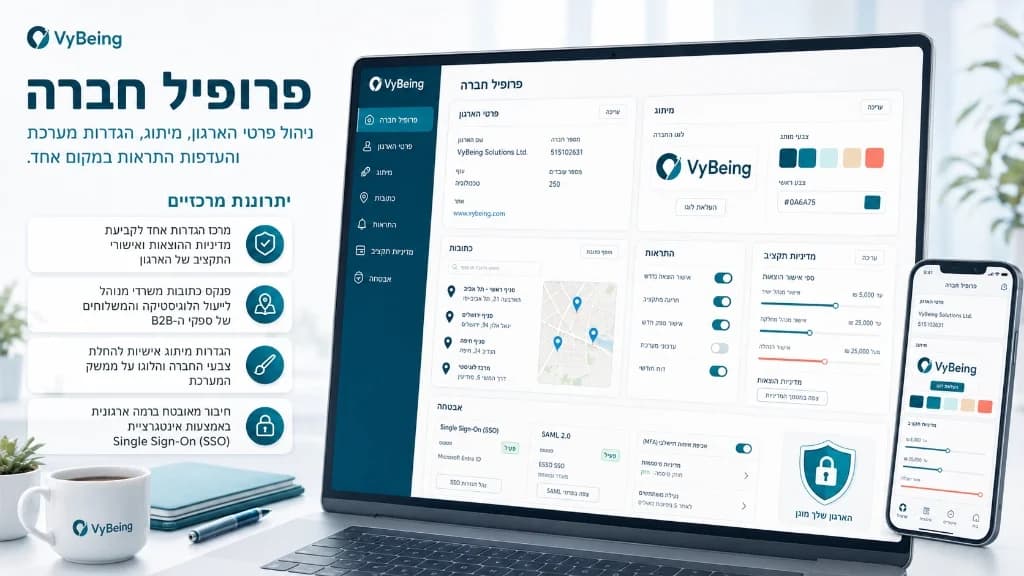
Manage company information, upload logo, configure settings, and set notification preferences.
In short
Manage company information, upload logo, configure settings, and set notification preferences. This page explains how the feature fits into the broader VyBeing workflow and how teams can connect it to planning, vendors, control, and execution.
Define your company's operational blueprint and welfare guidelines within the Company Profile dashboard. HR managers can establish corporate spending thresholds, define employee eligibility tiers, upload compliance documents, and customize localized branding. Store global office address registries to streamline vendor shipping coordinates, set department approval hierarchies, and manage authentication preferences (including Single Sign-On and SAML integrations) to keep employee data secure.
Company Profile helps HR and People Ops teams plan, manage, and measure employee experience workflows inside VyBeing.
It is built for HR, People Ops, and employee experience teams that need better control over vendors, budgets, approvals, and execution.
The feature works alongside AI Planner, vendor discovery, budget workflows, execution tracking, and reporting so teams can move from planning to delivery in one system.
See how companies are using this feature
Set up the corporate profile, link regional office hubs, integrate SSO authentication, and define approval authority levels before inviting HR coordinators.
Explore more features that work great together
Start using Company Profile today with a 14-day free trial